
Recently Jumpstart.com contacted me to see if I would be interested in checking out and reviewing their online adventure, a place geared towards 3 to 10 year old kids to discover and learn. Our son does not spend a whole lot of time on the computer so I was curious as to how this computer based learning was going to go. The first few times using Jumpstart I did most of the navigating so we could visit as many different areas without being on the computer for too long. Jumpstart has done a very good job creating all sorts of different worlds for your own avatar that you can customize to visit!

Future Land
Of all the places we did go to over several weeks our 4 year old was most drawn to the Enchanted Sanctuary. Here you find a dragon egg and take care of it until it hatches. Then you have to play, feed, and wash your dragon until it is ready to go to flight school. After flight school you can ride your dragon as it soars around. This was definitively the highlight because what is cooler to a 4 year old boy than a fire breathing dragon?!

After a week or two I was amazed as to how well my son was able to navigate around using the mouse given he had very little previous experience. He even figured out how to get to some of the learning games and play them all on his own.
Jumpstart.com provides different learning games with a variety of age ranges on them so you can easily select the best age appropriate ones. Memory games, numbers, and letter games were some of the ones we were doing, but there are math and language games for all ages as well!
Jumpstart.com provides different learning games with a variety of age ranges on them so you can easily select the best age appropriate ones. Memory games, numbers, and letter games were some of the ones we were doing, but there are math and language games for all ages as well!
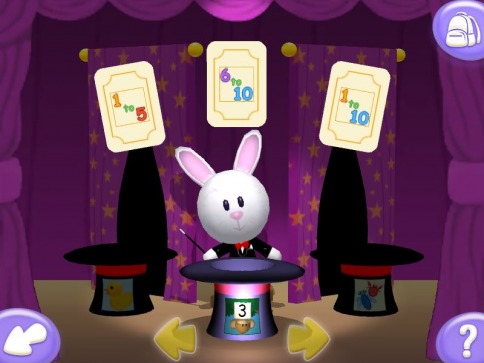
Story Land - Number Games
There are so many things to see and do on Jumpstart that we have only scratched the surface after a month of exploring it. There is not a day that goes by that our son does not ask to play. It has been not only a good tool for him to learn how to use the computer, but has been a big help turning learning into fun.
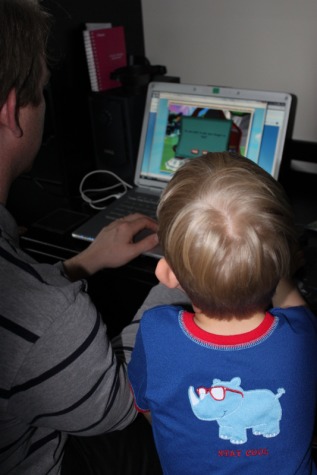
Daddy & Big Brother playing Jumpstart.com
As far as our take on using technology to learn with our children, we feel that technology is going to be a very important part of their education, so we both embrace and manage it in an amount that we personally feel comfortable with. Parents can also visit the Jumpstart Blog, which is a great fast and effective way for parents to go and learn about new activities Jumpstart has to offer.
We look forward to spending more time exploring Jumpstart and I think it is fair to say our son would recommend Jumpstart to everyone who will listen! ;-)
Giveaway Time!
I’m really excited that Jumpstart has given me the opportunity to give away a three month membership to Jumpstart.com to one of you for the children in your life, or a special gift for a kid you know and love. It is perfect for that extra time at home during the summer, for a rainy day, or a little quiet time.
To enter simply leave a comment on this post, that’s it!
Be sure to leave your email address in the comment form so I can contact the winner. Don’t worry your email address is completely private!
The contest will be open for 1 week, and will close at 12 Noon PST on Sunday July 4th! The winner will be picked randomly using The True Random Number Generator on Random.org
Check back Monday morning on the 5th of July to see who won.
If you are interested in sharing this post or passing it along please feel free to do so!
Have a wonderful week, everyone! J
Disclosure: I was provided with a JumpStart membership at no cost by Knowledge Adventure in order to test the products’ abilities and give my own personal opinions on it. The opinions I have given are mine and may differ from others but were not influenced by the company or the free product provided.
We look forward to spending more time exploring Jumpstart and I think it is fair to say our son would recommend Jumpstart to everyone who will listen! ;-)
Giveaway Time!
I’m really excited that Jumpstart has given me the opportunity to give away a three month membership to Jumpstart.com to one of you for the children in your life, or a special gift for a kid you know and love. It is perfect for that extra time at home during the summer, for a rainy day, or a little quiet time.
To enter simply leave a comment on this post, that’s it!
Be sure to leave your email address in the comment form so I can contact the winner. Don’t worry your email address is completely private!
The contest will be open for 1 week, and will close at 12 Noon PST on Sunday July 4th! The winner will be picked randomly using The True Random Number Generator on Random.org
Check back Monday morning on the 5th of July to see who won.
If you are interested in sharing this post or passing it along please feel free to do so!
Have a wonderful week, everyone! J
Disclosure: I was provided with a JumpStart membership at no cost by Knowledge Adventure in order to test the products’ abilities and give my own personal opinions on it. The opinions I have given are mine and may differ from others but were not influenced by the company or the free product provided.